
Webhooks & External Forms
Step 2: Create External Form
Create an external form in Surface Labs
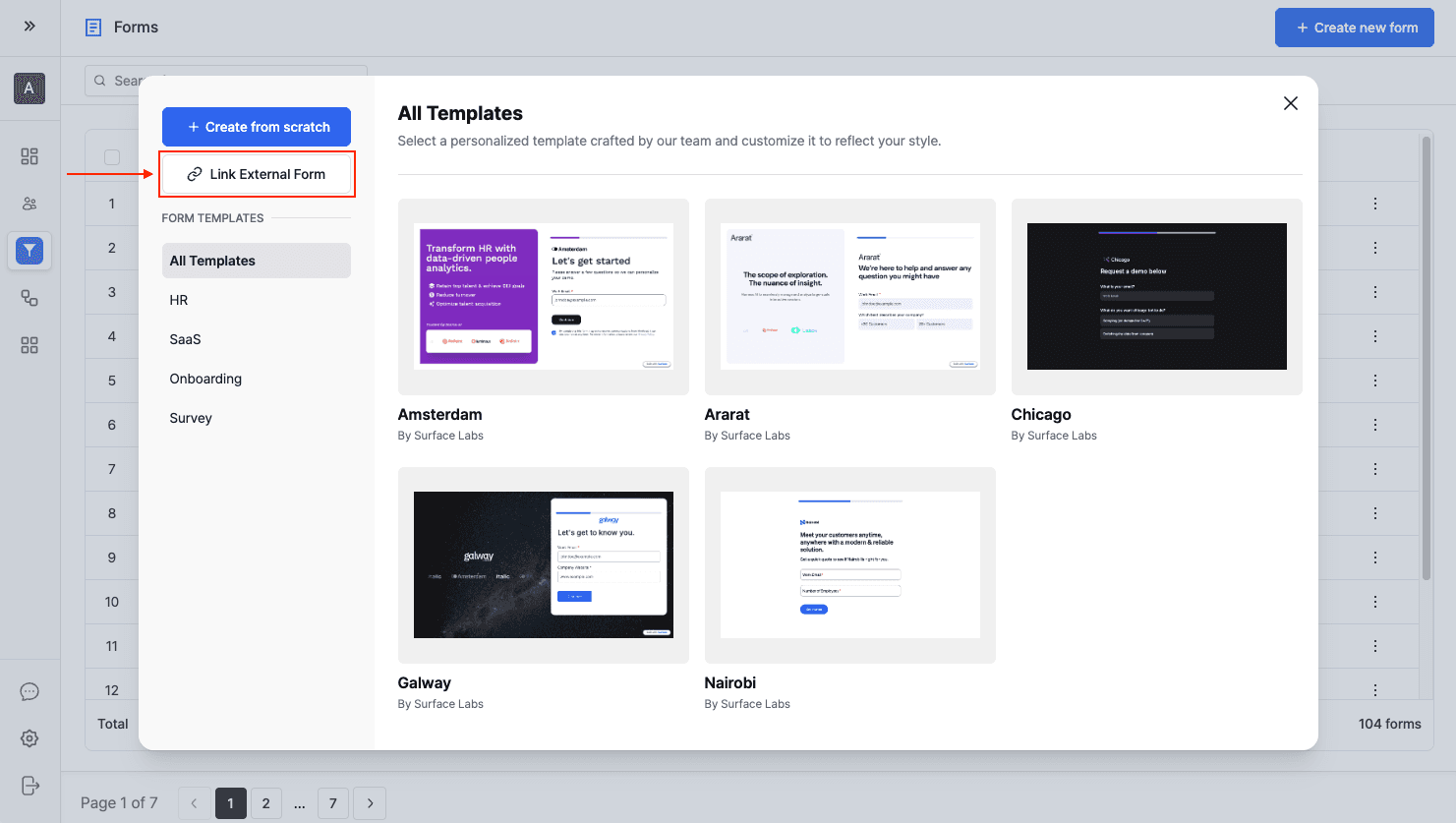
- Log in to the Surface Labs account.
- Navigate to the Forms section.
- Click "Create New Form".
- Select "Link External Form".
Add Required Fields
Add every field you want tracked in Surface. The form builder has field types to match your form's structure:
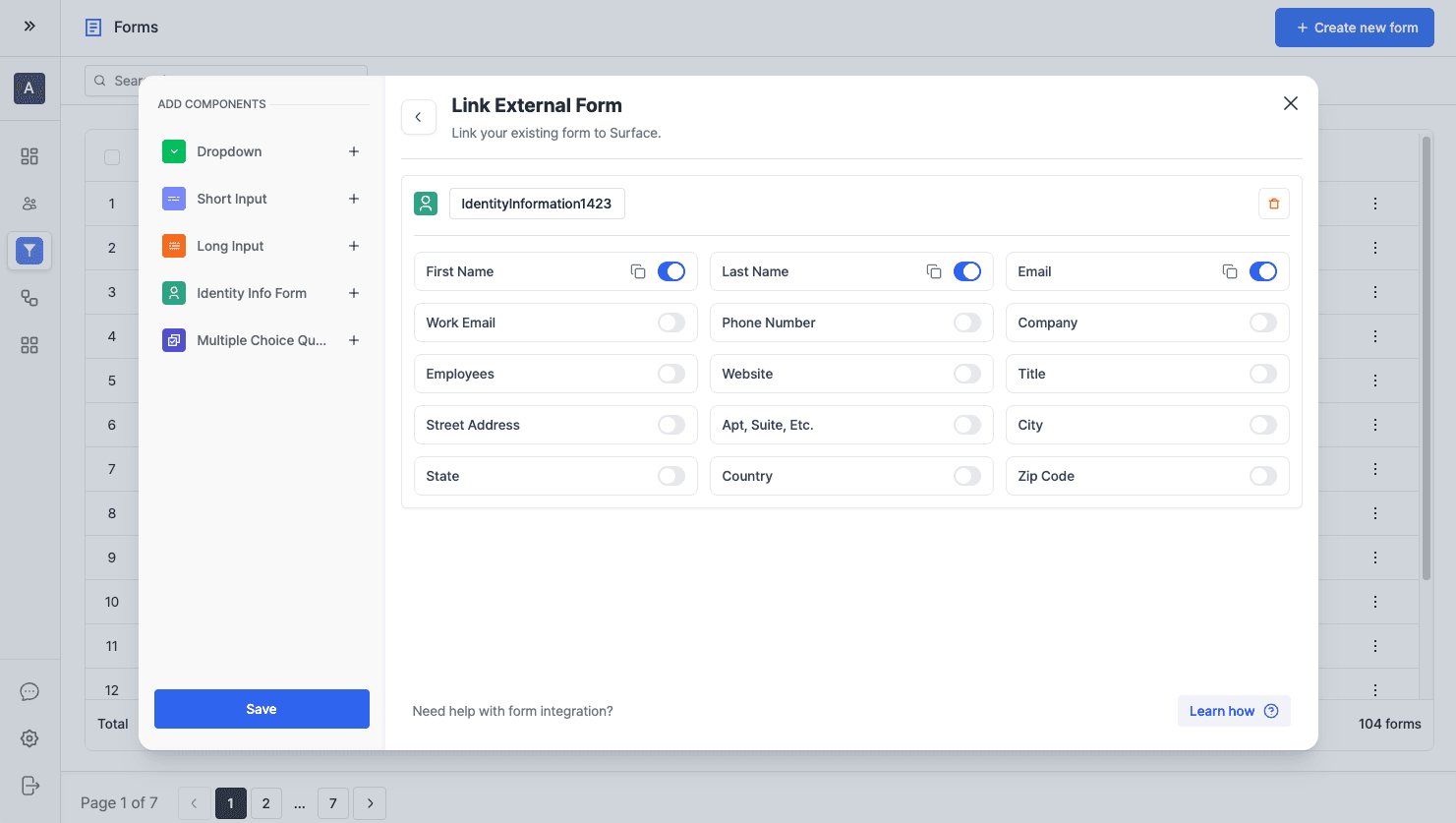
Available Field Types
- Identity Info: Collects personal information like name, email, or phone number.
- Short Input: For short text responses (single line).
- Long Input: For longer text responses (multi-line).
- Dropdown: For selection from predefined options.
- Multiple Choice: For radio button or checkbox selections.
Once the fields are added, map them to the external form using the question IDs from the next steps.
Ready to Get Started?
See it on your own site, or open the app and build the first form.