
Webhooks & External Forms
Step 3.2: Modify Form Fields
Modify form fields in Multi-Step HTML Form
After you create the external form and add its fields in Step 2, get the Component Question ID for each field.
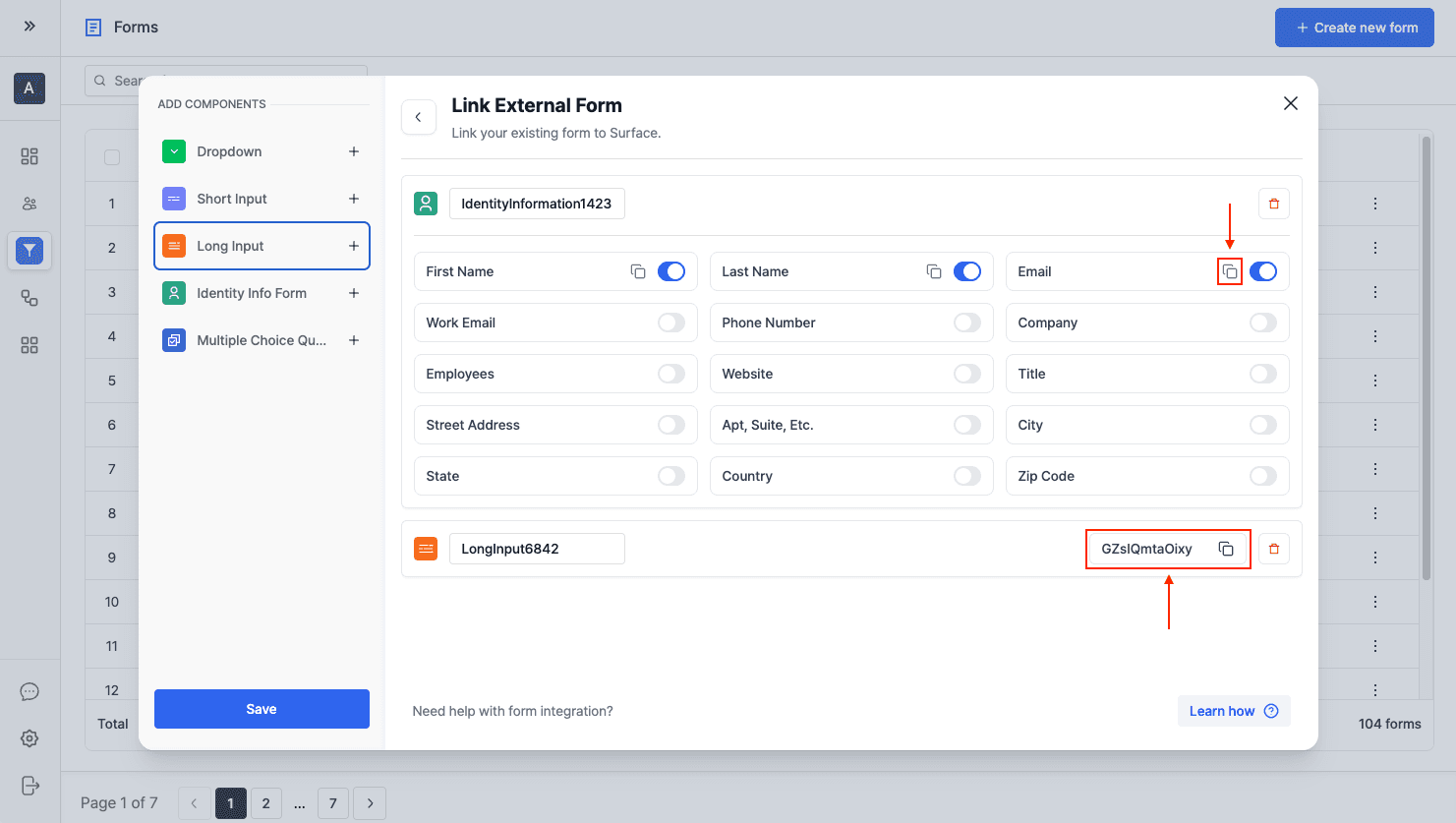
Add Question IDs to Form Fields
Add each field's question ID to that field's data-id attribute in the multi-step HTML form:
<div class="form-group">
  <label for="email">Business email</label>
  <input
    data-id="<Component_Question_ID>"
    type="email"
    id="email"
    name="email"
    placeholder="john@telnyx.com"
    required
  />
</div>
Replace <Component_Question_ID> with the question ID you got when adding components to the external form in Step 2.
Ready to Get Started?
See it on your own site, or open the app and build the first form.