
Send Data to HubSpot
Send Surface form submissions to HubSpot with the built-in HubSpot action in the Workflow Builder
Send Surface form submissions to HubSpot with the built-in HubSpot action: create or update contacts, companies, deals, and more.
Prerequisites
You need:
- A Surface account
- A HubSpot account with the right permissions
- Admin access to connect HubSpot to Surface
Step 1: Connect HubSpot to Surface Forms
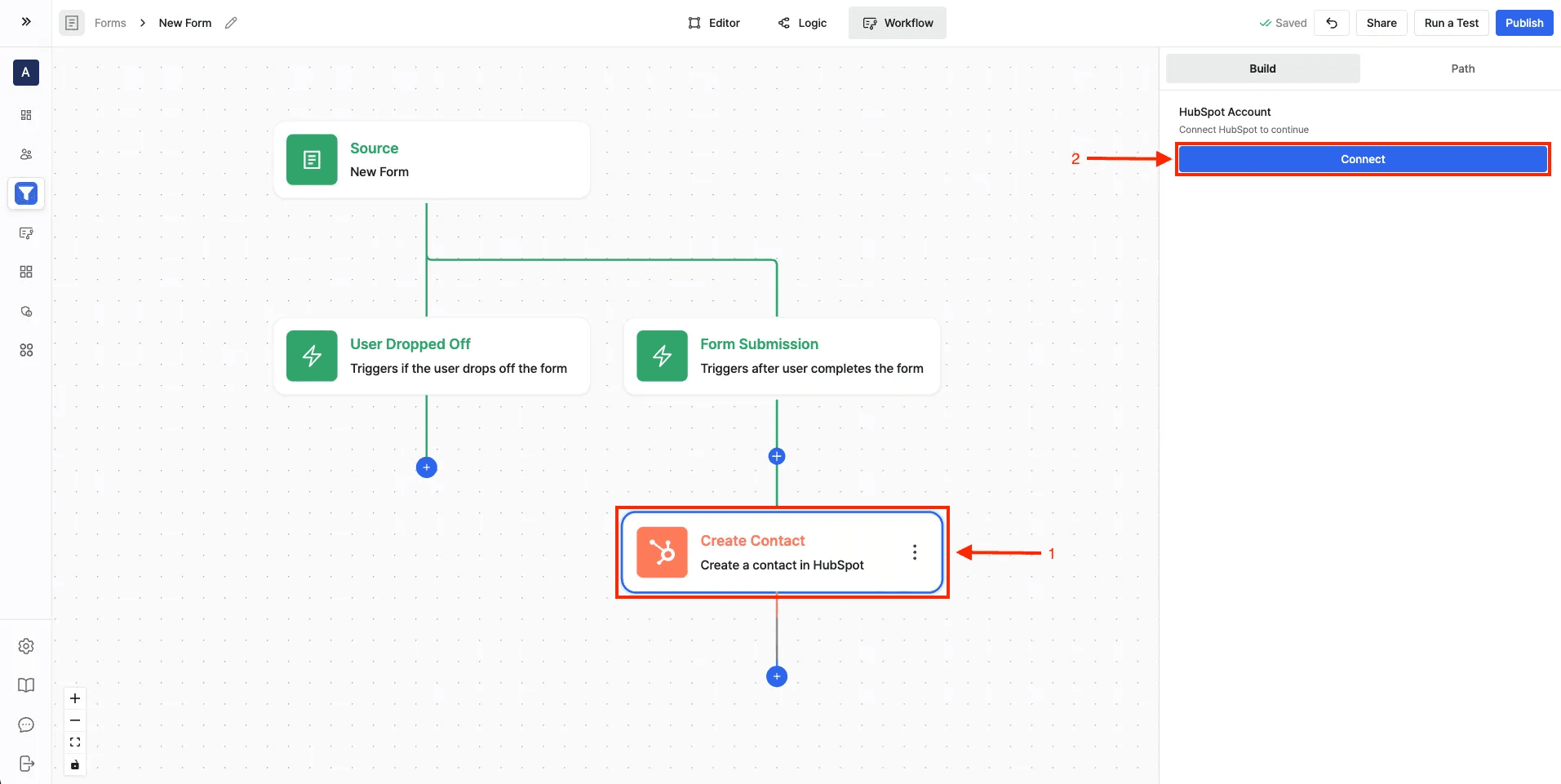
- Open the Workflow Builder.
- Click the + button to add a new action node.
- From the integrations list, choose HubSpot.
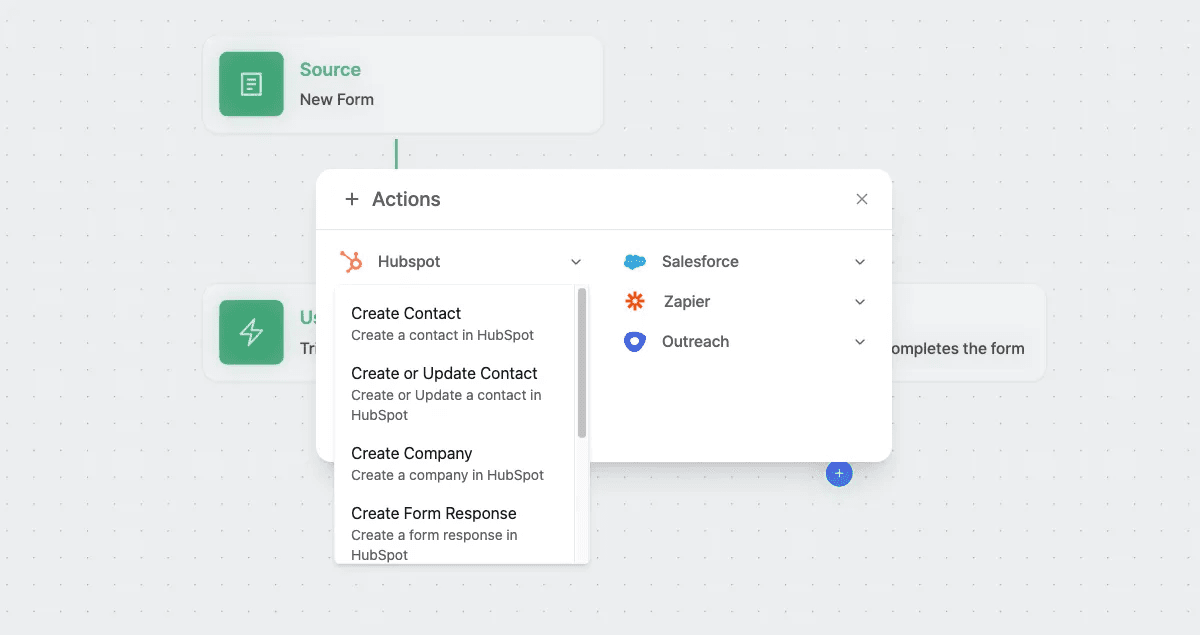
Step 2: Choose a HubSpot Action
The HubSpot integration supports multiple actions:
- Create Contact → Add a new contact in HubSpot
- Create or Update Contact → Add a new contact or update existing ones
- Create Company → Create a company record
- Create Form Response → Push a form submission directly into HubSpot
- Create Deal → Add a new deal in HubSpot
- Get Owner → Fetch a HubSpot owner by email
- HubSpot AI Agent → Use AI to manage contacts and deals automatically
Step 3: Configure the HubSpot Action
- After selecting an action, configure the settings in the right-hand panel.
- Choose the HubSpot object (e.g., Form, Contact, Company, Deal).
- Map your Surface Form fields to HubSpot properties:
- Example: email → Email from Form Submission or Lead
- Example: firstName → First Name from Form Submission or Lead
Using the HubSpot AI Agent
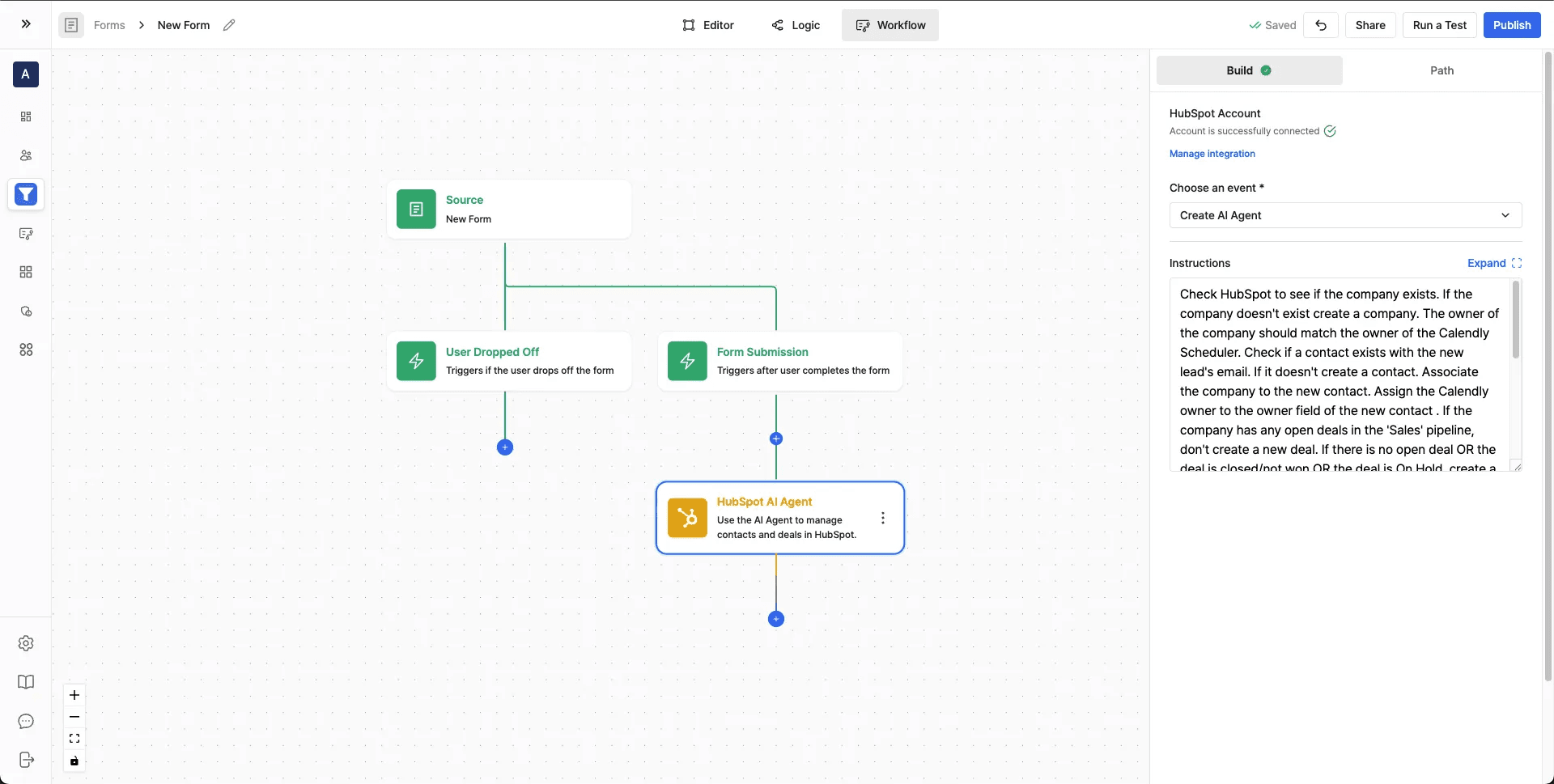
Instead of configuring individual actions one by one (create a contact, then a deal), give the AI Agent instructions in plain English and it manages contacts, companies, and deals in HubSpot for you.
Write Instructions for the Agent
In the configuration panel, describe what you want in the Instructions text area. For example:
Check HubSpot to see if the company exists.
If the company doesn't exist, create a new company.
If a contact with the new lead's email doesn't exist, create one.
Associate the contact with the company.
If there are no open deals in the "Sales" pipeline, create a new deal and assign it to the company owner.
You can be as detailed as you need - the AI Agent interprets and executes based on HubSpot's API.
Ready to Get Started?
See it on your own site, or open the app and build the first form.