
Competitor Agent
Watches the competitors you name, tells you what changed and why it matters to you, and files the research in your Vault.
Beta. You set it up from the Connections panel in your Vault, which is also the context it uses to judge what actually matters when a rival moves.
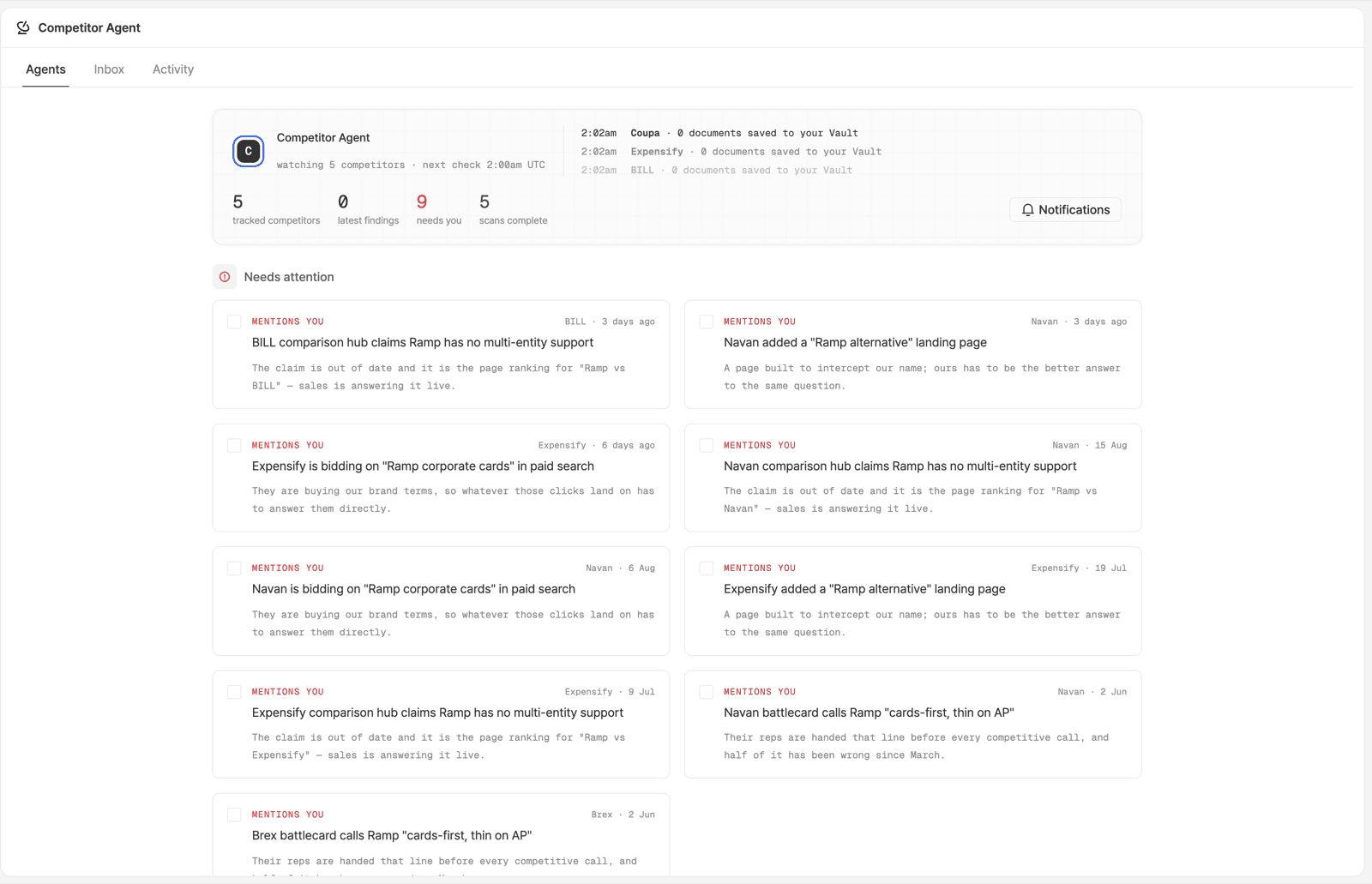
The Screen
Three tabs: Agents, Inbox and Activity. The header says how many competitors are being watched and when the next check runs, in UTC, next to four counters: tracked competitors, latest findings, needs you, scans complete.
Under it, Needs attention is a list of finding cards. Each card names the
competitor, dates the finding, and carries one line on why it matters to you.
The ones aimed at you are tagged MENTIONS YOU.
Each scan also saves documents into your Vault, so the research outlives the finding card.
What a Finding Looks Like
MENTIONS YOU· BILL · 3 days agoBILL comparison hub claims Ramp has no multi-entity support. The claim is out of date, and it is the page ranking for "Ramp vs BILL", so sales is answering it live.
Findings carry a tag, and the same tag appears again on the artifact that answers one:
| Tag | What it caught |
|---|---|
pricing_change | Their pricing moved |
positioning_shift | They started selling the category you named |
product_movement | They shipped something you used to sell against |
customer_signal | Demand to leave them is growing faster than their category |
mentions_you | They named you: a comparison hub, an "alternative" landing page, or your brand terms in paid search |
Keeping It Useful
Write your honest take, including where they win. The agent weighs a change against your Vault, so a competitor document of pure weaknesses gives it nothing to weigh against.
Name the claims you make about them. If your pages say "they charge per seat", write that down as a claim you make, so a change to their pricing has something of yours to land against.
Limit the set. Track the four competitors you lose to, not the twelve you mention in a deck. Start from the AI Visibility competitor set: answer engines already put those next to you.
Turning a Finding into Work
Update the Vault
Correct your document on that competitor first. Everything downstream reads it, and the next scan judges against it.
Take the draft it produced
Work this agent generates shows up on the Artifacts screen, with the agent name and the finding tag on the row, so you can see which finding a piece is answering.
Review it like any other draft
Same states, same reviewers, same publish step. See Review and publish.
SAM has no tool for reading this agent's findings, but it can run the research half on a timer: "every Monday, what has [competitor] shipped in the last week?" posts into a channel. See the prompt library.
Ready to Get Started?
See it on your own site, or open the app and build the first form.