
Traffic Analytics
Who arrives, from where, and what they were worth, with AI referrals reported by engine instead of collapsed into direct traffic.
With the Surface Tag installed, visits and form interactions land on the lead record that everything else reads.
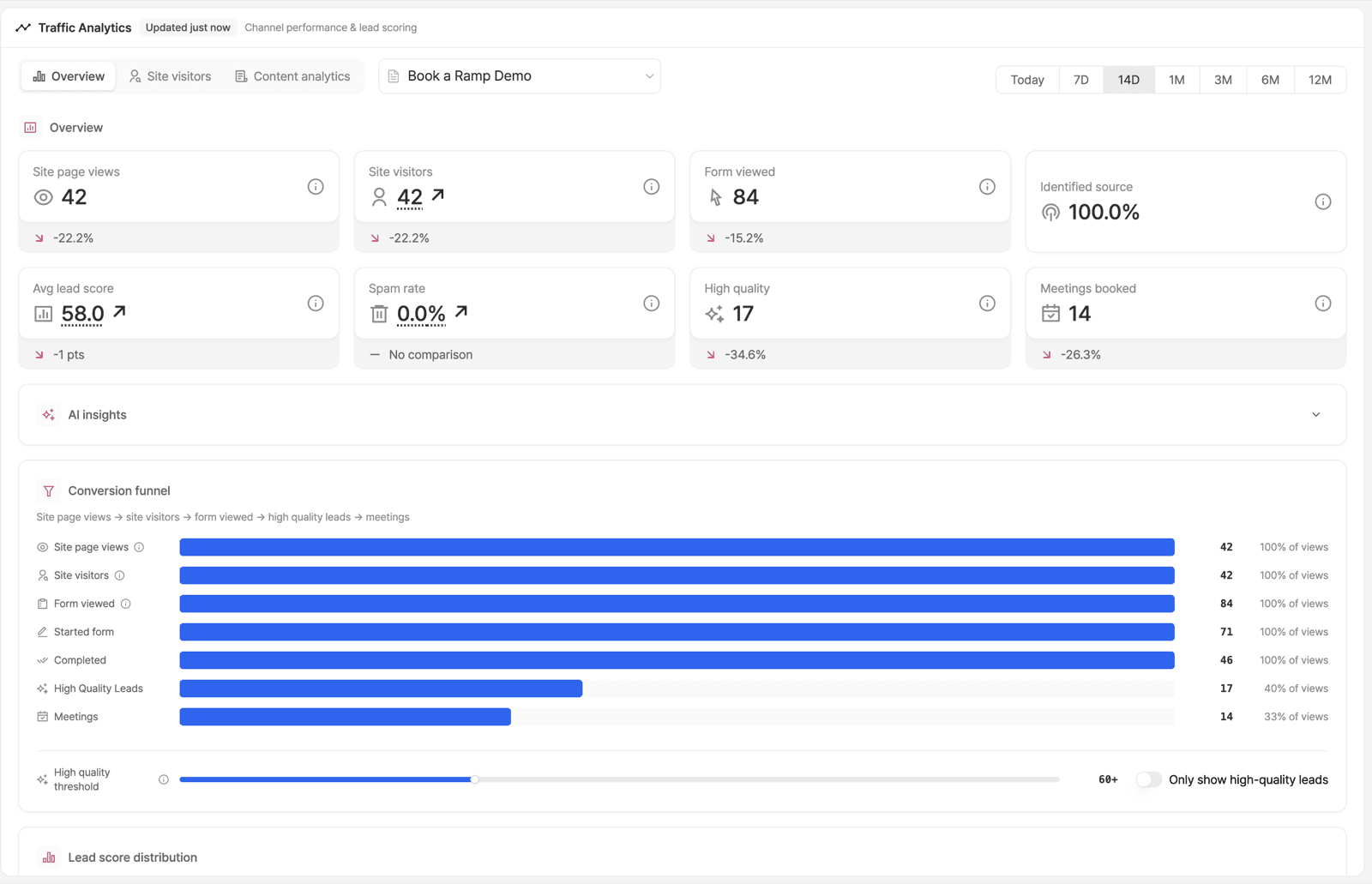
The Overview
| Metric | Reads as |
|---|---|
| Site page views and site visitors | Volume, and the gap between them (a low ratio means shallow visits) |
| Form viewed | How many visitors even saw a conversion opportunity |
| Identified source | Share of traffic with a resolvable origin. The lower it is, the more of your attribution is guesswork |
| Avg lead score | Quality, not quantity. The number that should move when targeting improves |
| Spam rate | See spam protection |
| High quality and meetings booked | The two numbers a QBR actually wants |
Each card carries a period-over-period delta where there is a previous period to compare against. Pick the window from the date range at the top (today through 12 months), and the form from the selector beside the tabs.
Under the cards: AI insights, a conversion funnel bar chart, a high-quality threshold slider, and a lead score distribution. The Site visitors and Content analytics tabs sit alongside Overview.
AI Referrals
A visit that arrived from an answer engine is reported as such rather than as
"direct". get_ai_traffic_sources returns the breakdown by engine (ChatGPT,
Gemini, Claude and the rest), and get_user_journey_analytics includes AI
referrers in a form's source breakdown.
That makes AI Visibility measurable like any other channel: you can see whether the people who arrived from a citation converted.
Crawler visibility, the bots themselves rather than the humans they send, is part of how we describe Traffic Intelligence publicly, but what the app breaks out per crawler is not documented here. Check the Content analytics tab, or ask your FDE, before you promise a per-vendor report.
Landing Page Performance
Per-URL: visitors, form starts, completions, meetings booked and conversion rate. Two patterns worth looking for:
- High traffic, no form views. No conversion path, or the form is below the fold.
- High form views, low starts. The first question is wrong. See form analytics.
get_lead_source_analytics returns this over MCP with urls and dateRange
filters.
Reading It over MCP
| Question | Tool |
|---|---|
| Daily visitors, leads, responses, workflow runs | get_daily_stats |
| Per-URL landing page performance | get_lead_source_analytics |
| UTM and traffic source breakdown for a form | get_user_journey_analytics |
| AI traffic source breakdown | get_ai_traffic_sources |
| Content performance with deltas | get_content_analytics |
| Environment-level totals | get_environment_overview |
Full list in the tool reference. Or ask SAM, which does not need the tool names.
Ready to Get Started?
See it on your own site, or open the app and build the first form.